












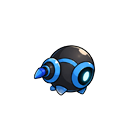
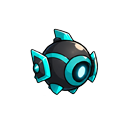
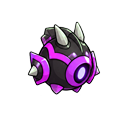
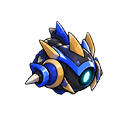

































It's been a while, hasn't it?

Uploaded Dec 17th at 3:29pm
Plays: 13 · Finishes: 3
23.08% Completion Rate
First Clear: mariofan2025
World Record: 00:07.616 by mariofan2025

see #bug-reports

Uploaded Dec 3rd at 6:15pm
Plays: 235 · Finishes: 86
36.60% Completion Rate
First Clear: musicman
World Record: 00:04.432 by grumpman

wow spark's code is amazing and completely free of bugs

Uploaded Nov 24th at 1:22pm
Plays: 276 · Finishes: 28
10.14% Completion Rate
First Clear: DuckRocky
World Record: 00:04.633 by grumpman

uhh the swimming pool also has spikes in or something but that's not important

Uploaded Nov 18th at 3:45pm
Plays: 861 · Finishes: 132
15.33% Completion Rate
First Clear: DuckRocky
World Record: 00:17.899 by grumpman

you need to be nyoom speedy speedy to beat this level

Uploaded Nov 12th at 11:57am
Plays: 579 · Finishes: 28
4.84% Completion Rate
First Clear: DuckRocky
World Record: 00:21.161 by DuckRocky

Is it really honey? Honey is not that colour, honey is much more orange. You know what I think it is? Piss.

Uploaded Oct 8th at 6:52am
Plays: 569 · Finishes: 22
3.87% Completion Rate
First Clear: sparkwu1fe
World Record: 00:22.515 by grumpman
Load More
Online (0) 0
  • Global
  • Current Level
  • sparkwu1fe: test
    1 week ago
  • sparkwu1fe: hi
    1 week ago
  • sparkwu1fe: cool, it works
    1 week ago
  • sparkwu1fe: test
    1 week ago
  • sparkwu1fe: alright, global chat is fixed, now to do current level chat
    1 week ago
  • mariofan2025: test
    1 week ago
  • mariofan2025: Happy New Year 2026!
    1 week ago
  • sparkwu1fe: happy new year!!
    1 week ago
  • mariofan2025: yeah
    1 week ago
  • mariofan2025: Next, which super-annoying bug, the online users list outfit/skin color.
    1 week ago
  • sparkwu1fe: ah yes, that one def needs to be worked on
    1 week ago
  • mariofan2025: rainbow skin, hair color is different, in-game skin color vs online users list skin color
    1 week ago
  • mariofan2025: Well, editing Spark's sandbox, the online users list shows Just Browsing instead of Playing (3434-3434)
    1 week ago
  • sparkwu1fe: hmm
    1 week ago
  • sparkwu1fe: i'm gonna make a shield soon i think
    1 week ago
  • mariofan2025: Yeah
    1 week ago
  • sparkwu1fe: seems like it would be fun to play with
    1 week ago
  • noob: breating own level by logged out, level guid is same
    1 week ago
  • mariofan2025: creating own level by logged in, level guid is different
    1 week ago
  • sparkwu1fe: sup
    3 days ago
  • mariofan2025: likely username change is working
    3 days ago
  • mariofan2025: spark attempting to log in after username change, resulting login error so idk
    3 days ago
  • mariofan2025: hmm... account settings page, nickname and username can be changed, but requires your password to save it
    3 days ago
  • mariofan2025: Well, username change affect endless level, a level creation, and chat message by username.
    3 days ago
  • mariofan2025: see current level chat as new message for endless level
    1 day ago
  • mariofan2025: just online users list outfit/skin color needs fixing, because outfit/skin color completely different
    16 hours ago
  • mariofan2025: online users list players do not match skin like mario/spark and outfit/skin color
    15 hours ago
  • mariofan2025: correction: mario/spark head
    15 hours ago

    Character Appearance

    Recent Level History

    The last ten times you hit save:

    Load Version

    Nuke Level: Are you sure?

    This will delete this entire level, and you'll have to start from scratch.

    If you're sure you want to do that, click the button.

    Nuke It

    How To Upload

    You must create a user account and log in to upload levels. You're a guest, but you're free to play around with this level builder. The level you're editing is saved to your IP address.

    Once you click upload, you then have to beat your level to upload it to the level browser.

    How To Upload

    First, save the level so it can reload and get level data. Then you may click the Upload button to start trying to upload the level.

    How To Play

    WASD for direction. W to Look Up, A to Move Left, S to Duck, D to Move Right. Hold J to start Running. Press K to Jump. Press L to do a Spin Jump. Press ; to attack. Press spacebar to use an equipped utility item (grappling hook).

    Controller Support?

    Tested and works on Google Chrome. Use D-Pad for direction. Hold Y or X to run. Press B to Jump, A or a bumper to Spin Jump, Trigger (ZR or ZL) to attack with a held Weapon. Press Start to Pause.

    Sound

    Music Volume

    Sound Effects Volume

    Performance Options

    Adjust these options to increase performance.

    Background 1 Panning

    Background 2 Panning

    Particle Effects

    Shadows

    Lighting

    Resolution

    Keyboard Bindings

    Click the binding you want to change, then type any key.

    You must be signed in to use this.

    UpType Any Key
    87
    RightType Any Key
    68
    DownType Any Key
    83
    LeftType Any Key
    65
    RunType Any Key
    74
    JumpType Any Key
    75
    Special (Spin)Type Any Key
    76
    AttackType Any Key
    186
    UtilityType Any Key
    32
    PauseType Any Key
    27
    Restart LevelType Any Key
    82
    Edit LevelType Any Key
    69
    Up

    Send In-Game Message