























012.429 (In Progress)

The first patch note blog post.

I've been patching, updating, and fixing this game for years, but mostly just announcing updates in our Discord. It's time we moved these to a central location. This is where I will be announcing patch notes for the foreseeable future. If you'd like to report bugs, please do so in the Discord, I do hang out in there daily, so it's the best place to get involved in the development of SparkFyre.

Thanks,
Spark

Additions

  • Added patch notes (hehe).
  • Put together a general story arc for a proposed campaign mode.
  • Fleshed out names for 7 acts, 3 levels per act.
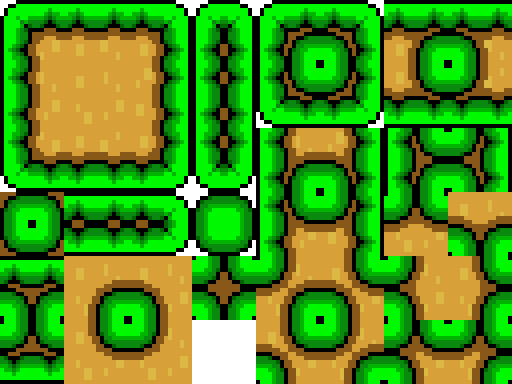
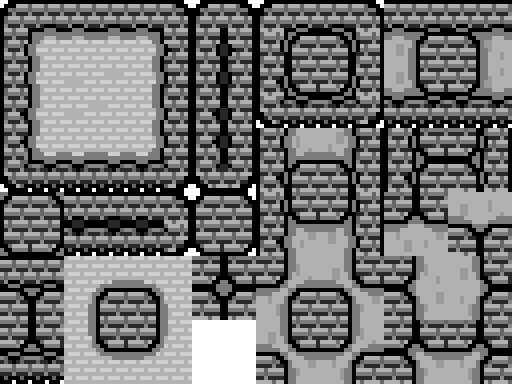
  • Added theme switching support in the level editor.
  • Added placeholder backgrounds for themes. Yes, these are AI generated. Will replace them with real versions in the future.
  • Added a graphics option to the performance menu. Lowering the graphics will paint the game on a smaller canvas, then make it bigger to fit the playing space, which pixelates the game, yet improves performance because less pixels are rendered on screen. This is the biggest bottleneck for performance, the Javascript runs pretty well.
  • Added an option to turn particle effects completely off, which greatly improves performance of the game if you're having more issues.

Improvements

  • Greatly improved various systems resulting in better game performance.
  • Changing resolution size will now zoom the game out, improving sight range.
  • Added numerous performance options, as stated, which allows my 2019 mac laptop to run the game fluidly. Really happy about that one, allows me to dev on it again.

Bug Fixes

  • Fixed weather to generate only when the game is not paused, and is playing (not starting or doing the death animation).
  • Fixed an issue with the pause menu not showing up.
  • Fixed weather particles to not explode unless they hit an object, so lava rain won't release ash mid-air and rain won't blink while the game is paused when it disappears.
v012.429
Online (0) 0
  • Global
  • Current Level
  • DuckRocky: You will fix tons of other minor bugs resulting to that
    3 days ago
  • DuckRocky: I went and shortened my bug list, since after discovering that. I am not keeping the "Branching Bugs"
    3 days ago
  • spark: sounds good, thanks!
    3 days ago
  • spark: i'll get back to fixing bugs when i start actually building levels
    3 days ago
  • DuckRocky: alright
    3 days ago
  • spark: for now i'm building out all of the background themes, there's a lot of them
    3 days ago
  • DuckRocky: Dang
    3 days ago
  • spark: but i'm into the 5th act, so i'm closing in on the end
    3 days ago
  • DuckRocky: Also, Spark if you notice all the (#/10) by the bug list. That is the "How Important?" scale.
    3 days ago
  • DuckRocky: So the closer to 10/10 are the more Important than the ones closer to 1/10
    3 days ago
  • DuckRocky: Less important as in. The players overall experience will be much less effected by the change. Compared to one that is closer to 10/10
    3 days ago
  • DuckRocky: mariofan, when you are reacting with the letters S A M E. What are you trying to say? Cause these are just game bugs.
    3 days ago
  • spark: okay cool, sounds good
    3 days ago
  • spark: thank you man!
    3 days ago
  • DuckRocky: Your welcome
    3 days ago
  • DuckRocky: Cause some bugs are like nearly irrelevant so they have lower numbers
    3 days ago
  • mariofan2025: wut
    3 days ago
  • mariofan2025: duckrocky, some reaction contain letter A through Z cause letters doesN'T combine words
    3 days ago
  • mariofan2025: removed reaction for now, see duckrocky's bug list
    3 days ago
  • mariofan2025: because writing words instead of letters from reaction
    3 days ago

    Character Appearance

    You Leveled Up!

    Credits: 0

    Choose one:

    Recent Level History

    The last ten times you hit save:

    Load Version

    Nuke Level: Are you sure?

    This will delete this entire level, and you'll have to start from scratch.

    If you're sure you want to do that, click the button.

    Nuke It

    How To Upload

    You must create a user account and log in to upload levels. You're a guest, but you're free to play around with this level builder. The level you're editing is saved to your IP address.

    Once you click upload, you then have to beat your level to upload it to the level browser.

    How To Upload

    First, save the level so it can reload and get level data. Then you may click the Upload button to start trying to upload the level.

    How To Play

    WASD for direction. W to Look Up, A to Move Left, S to Duck, D to Move Right. Hold J to start Running. Press K to Jump. Press L to do a Spin Jump. Press ; to attack. Press spacebar to use an equipped utility item (grappling hook).

    For advanced tips, play the tutorial.

    Controller Support?

    Tested and works on Google Chrome. Use D-Pad for direction. Hold Y or X to run. Press B to Jump, A or a bumper to Spin Jump, Trigger (ZR or ZL) to attack with a held Weapon. Press Start to Pause.

    Sound

    Music Volume

    Sound Effects Volume

    Performance Options

    Everything you turn off is less your browser needs to render.

    Graphics

    Background 1 Panning

    Background 2 Panning

    Animations When Paused

    Particle Effects

    Shadows

    Player Ghost Trails

    Lighting

    Fog

    Resolution

    Keyboard Bindings

    Click the binding you want to change, then type any key.

    You must be signed in to use this.

    UpType Any Key
    87
    RightType Any Key
    68
    DownType Any Key
    83
    LeftType Any Key
    65
    RunType Any Key
    74
    JumpType Any Key
    75
    Special (Spin)Type Any Key
    76
    AttackType Any Key
    186
    UtilityType Any Key
    32
    PauseType Any Key
    27
    MapType Any Key
    9
    Restart LevelType Any Key
    82
    Edit LevelType Any Key
    69
    Up

    Send In-Game Message