012.435 (In Progress)


Additions

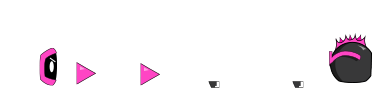
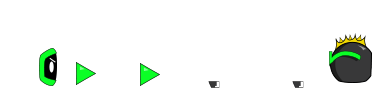
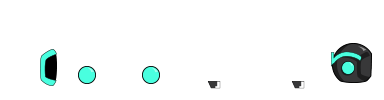
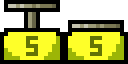
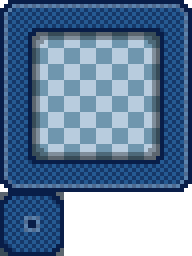
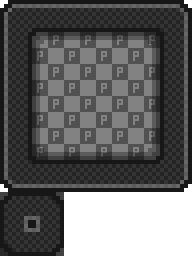
  • Added a Portal Block. This is similar to a Teleport Block, but does not require action to activate, it teleports you on contact. So, when you touch this, you get teleported to its counterpart. Both portals are inactive after you teleport. They will be grey when inactive. You must travel 2 blocks away for them to be active again, preventing you from being stuck hopping back and forth repeatedly.
  • Added a Sign In With Google button, so players can log in and register easier. Also wrote some baseline code to see if the user is a member of the channel. I had to reach out to YouTube to get permission to use this part of their API though. I'd like to add perks if the player is a member of my YouTube channel. I don't know if I'll get this ability though, so far they are keeping this level of access to the API guarded. Maybe they'll let me through during the verification process (they say it takes a while to verify, so at the moment there's lots of warnings when you try to use this feature).
  • Added multiple endpoints for Stripe for processing payments. We are now offering a $4.99 subscription model located in Account > Billing. I'm not 100% sure how much of the game I'm going to gate behind the subscription and how much I'm going to give away for free. I may revisit this later when I am happy enough with the appearance of the website that I'm okay making YouTube videos on it. There are still many bugs to fix and many areas of the site to improve yet.

Improvements

  • Changed the font on notice boards to the website's font. More modern, less pixel-y.

Bug Fixes

  • Fixed a bug that would make you teleport if you were far enough away from a Grappling Hook/Gun as it hooked.
  • Fixed an issue with the info screen (character level / experience bar / endless level score details) sitting behind the lighting canvas.
  • Fixed an issue with notice boards having serif fonts for the first screen before switching to the notice board's designated font style.
  • Fixed an issue with the game timer reducing at the same rate as the refresh rate instead of the actual physics steps.
  • Fixed an issue with the player animations playing at the same rate as the refresh rate instead of the actual physics steps.
v012.434
Online (0) 0
  • Global
  • Current Level
  • mariofan2025: lol
    2 weeks ago
  • noob: :D
    2 weeks ago
  • mariofan2025: spark here
    2 weeks ago
  • noob: yes, this is spark
    2 weeks ago
  • spark: hello
    2 weeks ago
  • mariofan2025: hello!
    2 weeks ago
  • spark: i'm going to gate the game to members only, make videos about it, and only a select few people will get beta access, people that have been around since the beginning
    2 weeks ago
  • spark: like.. free access, ya know
    2 weeks ago
  • spark: but once i start making videos on the game, i'm going to require people to be a member of the yt channel to play it
    2 weeks ago
  • mariofan2025: yeah
    2 weeks ago
  • spark: i have everything working, except the checking of the member status, i had to reach out to a google person to get permission to access that part of the api.. idk how long it'll take for them to get back to me, i was on the chat with someone inside of my google channel dash
    2 weeks ago
  • mariofan2025: rip
    2 weeks ago
  • spark: yup, for real
    2 weeks ago
  • mariofan2025: log in and log out and log in still works
    2 weeks ago
  • mariofan2025: account creation is working properly
    2 weeks ago
  • mariofan2025: like sign up form
    2 weeks ago
  • spark: nice
    2 weeks ago
  • mariofan2025: well, notice board font likely changed, previous font with uppercase letters similar as Nintendo Entertainment System font, notice board writing text like "WELCOME TO SPARKFYRE DOT IO!", that copyright problem seems to be fixed
    2 weeks ago
  • mariofan2025: time remaining does not follow fps for all levels if screen refresh rate is set by >60 hertz
    2 weeks ago
  • spark: it goes with the physics steps now.. so if the game lags a little it'll go slower
    2 weeks ago
  • noob:  
    1 week ago
  • noob: 12
    1 week ago
  • noob: &message[]=
    1 week ago
  • noob: '
    6 days ago
  • mariofan2025: account creation still working properly
    2 days ago
  • mariofan2025: afbbib, level won't load?
    2 days ago
  • mariofan2025: yet spark has no response every 1 week
    2 days ago

    Character Appearance

    You Leveled Up!

    Credits: 0

    Choose one:

    Recent Level History

    The last ten times you hit save:

    Load Version

    Nuke Level: Are you sure?

    This will delete this entire level, and you'll have to start from scratch.

    If you're sure you want to do that, click the button.
    Nuke It

    How To Upload

    You must create a user account and log in to upload levels. You're a guest, but you're free to play around with this level builder. The level you're editing is saved to your IP address.

    Once you click upload, you then have to beat your level to upload it to the level browser.

    How To Upload

    First, save the level so it can reload and get level data. Then you may click the Upload button to start trying to upload the level.

    How To Play

    WASD for direction. W to Look Up, A to Move Left, S to Duck, D to Move Right. Hold J to start Running. Press K to Jump. Press L to do a Flip Jump. Press ; to attack. Press spacebar to use an equipped utility item (grappling hook).

    For advanced tips, play the tutorial.

    Controller Support?

    Tested and works on Google Chrome. Use D-Pad for direction. Hold Y or X to run. Press B to Jump, A or a bumper to Flip Jump, Trigger (ZR or ZL) to attack with a held Weapon. Press Start to Pause.

    Sound

    Music Volume

    Sound Effects Volume

    Performance Options

    Everything you turn off is less your browser needs to render.

    Graphics

    Background 1 Panning

    Background 2 Panning

    Animations When Paused

    Particle Effects

    Shadows

    Player Ghost Trails

    Lighting

    Fog

    Resolution

    Keyboard Bindings

    Click the binding you want to change, then type any key.

    You must be signed in to use this.

    UpType Any Key
    87
    RightType Any Key
    68
    DownType Any Key
    83
    LeftType Any Key
    65
    RunType Any Key
    74
    JumpType Any Key
    75
    Flip JumpType Any Key
    76
    AttackType Any Key
    186
    UtilityType Any Key
    32
    PauseType Any Key
    27
    MapType Any Key
    9
    Restart LevelType Any Key
    82
    Edit LevelType Any Key
    69
    Up

    Send In-Game Message