













































































































012.441
Additions
-
Physics Areas
- Added Physics Areas to the Level Builder.
- Physics Areas allow regions of a level to temporarily override character movement physics while the player is inside them.
- Added configurable Gravity.
- Added configurable Jump Strength.
- Added configurable Coyote Time.
- Added configurable Jump Buffer timing.
- Added configurable Move Speed.
- Added configurable Ground Acceleration.
- Added configurable Ground Friction.
- Added configurable Turn Strength.
- Added configurable Air Control.
- Physics values default to normal game physics, allowing areas to selectively modify only the properties needed.
- Physics Areas are invisible during normal gameplay.
-
Weather Areas
- Added Weather Areas to the Level Builder.
- Weather Areas update the active level weather when the player comes into contact with them.
- Weather can now change dynamically during a level as the player moves between different Weather Areas.
- Added Clear weather.
- Added Rain.
- Added Acid Rain.
- Added Hail.
- Added Lava Rain.
- Added Snow.
- Added Sand Storms.
-
Poison Clouds
- Added Poison Cloud areas to the Level Builder.
- Poison Clouds create hazardous fog regions that can affect the player while they remain inside them.
- Poison Cloud regions are defined independently from normal weather, allowing them to be placed exactly where needed.
-
Poison Water
- Added a breathing limit while submerged in Poison Water.
- The player's available breath drains while submerged in Poison Water.
- Breath begins recovering after the player leaves the hazardous liquid.
- This gives Poison Water its own gameplay behavior instead of functioning only as a visual liquid variation.
-
Script Cinematics
- Added Sound Effect actions to Script Blocks.
- Added Sound Effect support to
+ AND...actions so sounds can be combined with dialogue, camera movement, waits, filters, and other scripted actions. - Added Crickets and Sad Violin as script-usable sound effects.
- Added a reusable Script Sound Effect registry so additional game sounds can be exposed to Script Blocks more easily.
- Added Visual Filter actions to Script Blocks.
- Added Normal and Black & White visual filters.
- Added Visual Filter support to
+ AND...actions. - Added an editable Camera Zoom Transition time in milliseconds.
- The default camera zoom transition is approximately 715ms to preserve the previous camera feel.
-
Talking Animation
- Added a new
talkcharacter animation for conversational scenes. - Talking characters now gesture with alternating hands while standing still.
- The animation returns each hand to a resting position between gestures.
- Added subtle head and body movement while talking.
- Added the Talking emote to keyboard shortcut 7, alongside the existing emotes on keys 1–6.
- Spark can automatically use the Talking animation while displaying dialogue and otherwise standing idle.
- NPCs can automatically use the Talking animation while delivering scripted dialogue and otherwise standing idle.
- Added a new
-
Speech Bubbles
- Added a small pointer to the bottom of speech bubbles to visually indicate the current speaker.
- The speech-bubble pointer uses the bubble's black background with a white outline.
Improvements
-
Weather & Liquids
- Improved interactions between weather effects and liquid regions.
- Weather-driven liquid changes now refresh affected liquid chunks correctly as conditions change.
- Improved hazardous-liquid behavior so Poison Water can track whether the player is actively submerged.
- Improved liquid-state transitions when entering or leaving different environmental regions.
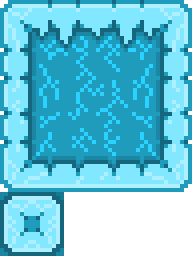
- Improved icy surface movement with reduced friction for more natural sliding behavior.
-
Physics Areas
- Physics overrides are applied only while the player is inside the configured Physics Area.
- Leaving a Physics Area restores the appropriate normal game physics.
- Physics Areas can modify individual movement properties without requiring every physics value to be changed.
- Physics Areas can be used to create low-gravity rooms, heavy-gravity sections, slippery movement, stronger or weaker jumps, altered air control, and other movement variations.
-
Script Dialogue
- When synthesized Script Dialogue is enabled, scripts now advance as soon as the spoken voice finishes instead of continuing to wait for the speech-bubble timer.
- When synthesized speech is unavailable or disabled, scripted dialogue continues to use the normal speech-bubble display timing.
- Script sound effects are now tracked by the scripting system.
- Script sound effects are immediately stopped and reset when the next script step begins.
- Script sound effects are also stopped when a script finishes, resets, is interrupted, or is cancelled by a world transition.
- Visual filters automatically return to Normal when a scripted sequence finishes or resets.
-
NPC & Scripted Movement
- Improved automatic obstacle jumping for NPCs and scripted Spark movement.
- Characters now consider their actual movement destination before deciding whether an obstacle needs to be jumped.
- Characters no longer jump simply because a wall is nearby when their destination stops before the wall.
- Characters can still jump onto or across large platforms when reaching the destination requires passing the platform's blocking edge.
- The same destination-aware obstacle check is used by the collision and movement-stall jump fallback.
-
Dialogue Presentation
- Raised character speech bubbles approximately 20 pixels so they sit more clearly above the speaker's head.
- Spark dialogue continues to use blue text.
- NPC dialogue now defaults to white text, making it easier to distinguish who is currently speaking.
- Reduced the speech-bubble pointer size for a subtler appearance.
-
Talking Animation
- Adjusted the Talking animation so both arms rest in a lower, more natural position similar to the normal idle pose.
- Reduced the height and angle of raised hand gestures so characters no longer appear to raise their arms straight into the air.
- Slowed the raising and lowering of each arm for more natural conversational movement.
- Slowed the secondary hand gesture that occurs while an arm is already raised.
- Adjusted the secondary raised-hand pose to create a smaller conversational emphasis gesture.
- Slowed and softened head and body movement during the Talking animation.
- Movement, jumping, attacking, carrying, and explicit scripted sprite actions continue to take priority over the automatic Talking animation.
Bug Fixes
- Fixed NPCs and scripted characters unnecessarily jumping when approaching an obstacle even though their destination was before the obstacle.
- Fixed an initial destination-aware jumping implementation that could cause NPCs to run directly into large platforms instead of jumping onto or over them.
- Fixed scripted collision fallback jumps bypassing the destination check and causing unnecessary jumps.
- Fixed long Script Sound Effects such as Crickets or Sad Violin continuing to play after their script step had already ended.
- Fixed weather and liquid changes not always refreshing the affected liquid regions correctly.
- Fixed some environmental physics transitions not restoring or updating the expected movement behavior when entering or leaving special areas.